Audit your GA4 for free. Never be the last to know it's broken.
Broken tracking doesn't announce itself. Someone just finds out eventually — a client, your boss, a report that doesn't add up. We check your GA4 inside-out and write you the fix in plain English, so it's always you first. And when you're ready, we keep watch every week so nothing sneaks past you again.
Sign in with Google · read-only · no credit card
Free forever. Audit your last completed week, refreshed every cycle. GA4 360 excluded.
Already a member?
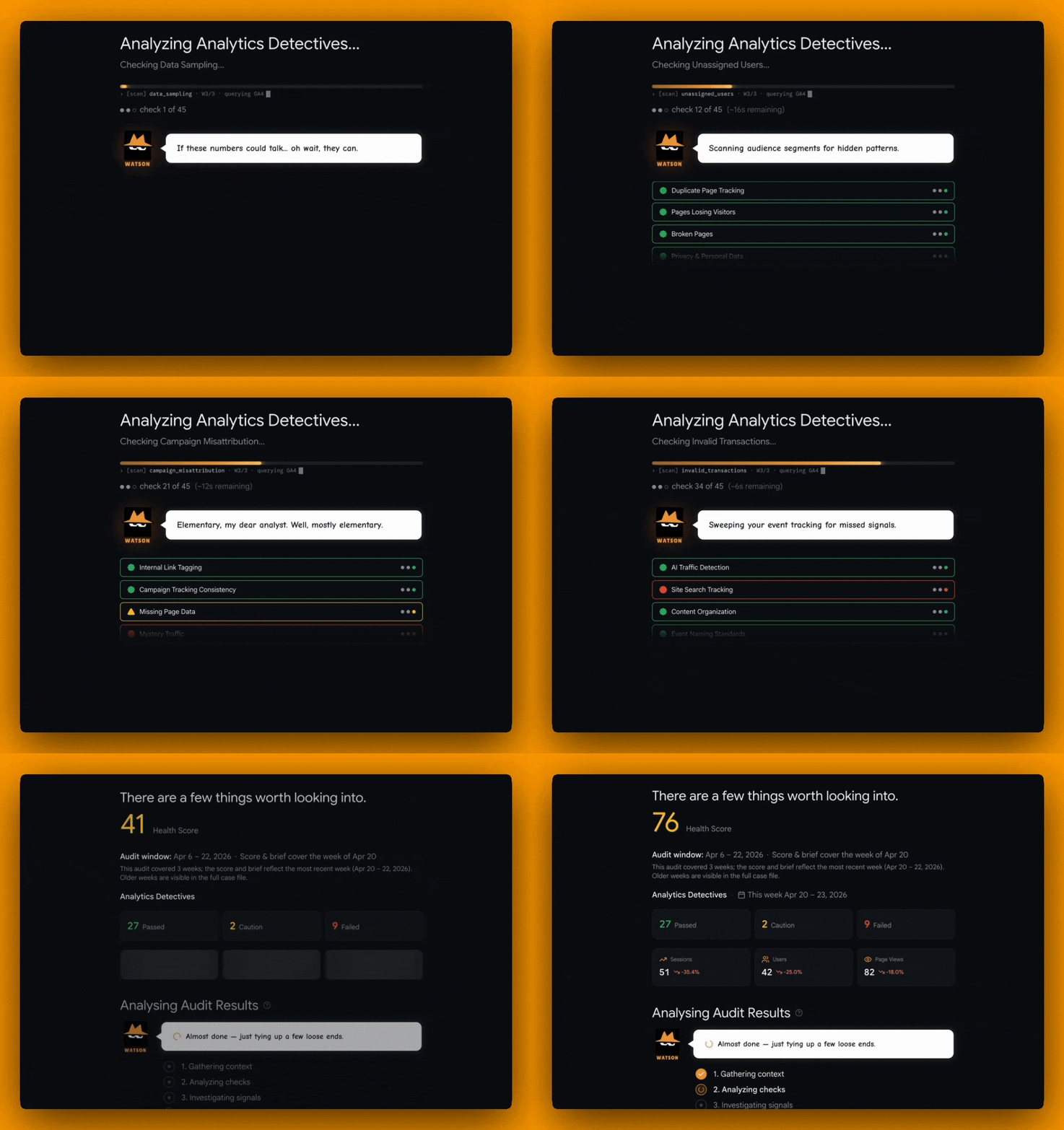
The case so far
data-quality issues caught
checks performed
suspected PII issues flagged
Join 336 marketers using Analytics Detectives
What people say
“Whoa! I have just run my first report and all I can say is that I am very impressed. This is an AWESOME tool… [and] a very valuable tool to have at my disposal.”
 Scott Piggott · SVP of Marketing
Your first run
Here's what you get minutes after connecting
Watson's Insights
example.com · audit complete
I ran all 61 checks on example.com. Your setup is mostly solid, but a few issues are quietly costing you accurate data:
Purchase tracking is broken on the checkout funnel — revenue events are under-reported by ~18%.
Internal traffic isn't filtered, so your team's sessions inflate engagement.
Consent Mode v2 is firing correctly — no action needed.
What it found
5 of 61 checks failed — including broken purchase tracking and unfiltered internal traffic.
Why it matters
Your reports under-count revenue and over-count engagement — decisions are running on bad numbers.
The exact fix
A plain-English, step-by-step fix for every issue — no GA4 jargon, no guessing.
Meet Your Detectives
Three detectives on the case, every week
A one-off audit tool scans once and goes quiet. The detectives don't. Watson audits your GA4 and writes the analysis in plain English, Sherlock watches the daily numbers so trouble surfaces early, and Moriarty runs the root-cause investigation the moment you ask.

Watson
The Detective
A weekly plain-English Brief on every property
A raw audit tool dumps a list of findings and leaves you to make sense of it. Watson runs the same 61+ data-quality checks on every audit, then writes you a weekly Brief in plain English — what broke, why it matters, and the exact fix — so you skip the interpreting and go straight to fixing.
- Runs every GA4 data-quality check, every audit, automatically
- Turns the GA4 analysis into plain English, not jargon
- Delivers a weekly written Brief on every GA4 property you watch

Sherlock
The Watcher
A daily watch on your numbers for trouble
A one-off audit is blind the moment you close it — you find the broken week later, in a report that's already wrong. Sherlock watches your GA4 day to day — a 40% session drop on a Tuesday, a spike in unassigned traffic, slow engagement drift — and flags each shift before it skews the numbers you report on.
- Monitors your GA4 metrics day-to-day for sudden shifts
- Spots data drift before it corrupts your analysis
- Pings you when a GA4 anomaly deserves attention

Moriarty
The Interrogator
Root-cause analysis for any GA4 question
Without a dedicated analyst, chasing "why did this number move?" means exporting to a spreadsheet or waiting days on someone who can. Moriarty is your GA4 analyst on demand: bring him any finding, trend, or number you don't trust, and he runs the root-cause investigation across your GA4 data, dashboards, and reports — answers grounded in the numbers, not guesses.
- Ask any GA4 question and get analysis grounded in your data, not guesses
- Runs root-cause analysis (RCA) on findings across your Moriarty dashboards
- Knows the Check Handbook so you don't have to memorise it
Always on watch
Connect a GA4 property once and the detectives stay on the case. Re-run audits whenever you like, watch data-quality trends in the History Scoreboard, see your whole GA4 roster in Mission Control, and get notifications when something needs attention. The watching is the product. Peace of mind is the point.
Meet The Suite
What the detectives do for you
Three detectives, a Core toolkit built around them, and everything you need to audit, analyze, and keep your GA4 data honest — without having to do it yourself.
Quick Audit
Run a full GA4 audit on a property in seconds, on demand — every check, every finding.
Property Scoreboard
Every GA4 data-quality check, every status, week-over-week, for a single property.
History Scoreboard
Track a property's GA4 data-quality trends and spot drift before it corrupts your reports.
Mission Control
One screen across your whole GA4 roster so you see which property needs analysis first.
Watson's Insights
A weekly GA4 analysis in plain English: what changed, why it matters, what to do this week.
Ask Moriarty
Ask any GA4 question and get analysis and root-cause answers grounded in your data.
Bulk Check
Audit many GA4 properties at once instead of clicking through them one by one.
Benchmark
See how a property's GA4 data quality compares so you know whether “fine” is actually fine.
Reports & share links
Client-ready GA4 audit reports and public links you can hand over without copy-paste.
Notes & decisions
Capture context on every GA4 finding so the next person, or the next you, isn't starting from scratch.
Notifications
In-app and email pings when something in your GA4 data needs your attention.
Who The Detectives Watch For
Less time babysitting GA4. More time on what matters.

Freelance Consultants
- Delegate the watching to the detectives. Spend your hours on client strategy, not on GA4 babysitting.
- Hand over client-ready GA4 audit reports and share links with one click
- Scale your roster without scaling your weekly admin

In-House Analysts
- Spot GA4 configuration drift the week it happens, before it corrupts your analysis
- 61+ GA4 checks run on every property so you can focus on the analysis that matters
- Week-over-week GA4 trends so slow-burn issues stop hiding in plain sight

Marketing Teams
- Trust the numbers in your campaign reports. No GA4 expertise required.
- A weekly GA4 analysis in plain English: what changed, why it matters, what to do next
- Less time decoding data, more time on the work that moves results

Agencies
- Mission Control across your whole GA4 client roster, so you see what needs attention first
- Audit many GA4 properties at once with Bulk Check instead of clicking through each one
- Hand clients clean, shareable GA4 reports, and get back to delivering insight
Case Evidence
See what Watson uncovers
Every GA4 audit delivers a clear health score, category-by-category analysis, and actionable verdicts.
Category Breakdown
What's Hiding in Your GA4 Right Now
10 problems hiding in most GA4 setups
These are the silent killers hiding in most GA4 setups. Every audit analyzes your GA4 data for all of them, automatically.
Are your page URLs leaking personal data to Google?
If email addresses, phone numbers, or credit card digits appear in your GA4 page URLs, Google can terminate your property without warning. Most teams don't even know it's happening.
Watson scans every URL against 12+ PII pattern detectors so you can plug the leak before Google notices.
Are payment gateways stealing credit from your real traffic sources?
When PayPal, Stripe, or Klarna appear as referral sources, your conversion attribution is wrong. The campaign that actually drove the sale gets zero credit.
Watson checks your traffic sources against a maintained list of known payment gateway domains and flags every one that's hijacking your attribution.
Is your own website appearing as a referral source?
Self-referrals silently fragment user sessions. One visitor looks like three. Conversion funnels break. Attribution reports become fiction.
Watson cross-references every referral source against your own hostnames to catch self-referrals you'd never spot manually.
Is GA4 only looking at a fraction of your data?
When data is sampled, GA4 extrapolates from a subset. Your reports look complete but the numbers are estimates — and for low-volume segments, they can be wildly inaccurate.
Watson inspects the API response metadata that GA4 hides from view, so you know when your reports can't be trusted.
Is spam traffic inflating your session counts?
Ghost referrals and bot traffic pump up your numbers while diluting real engagement metrics. Your traffic report says growth — but none of it is real.
Watson matches every referral source against known spam patterns and flags the fakes instantly.
Is staging and localhost traffic polluting your production data?
Developer traffic from localhost, staging.*, and test environments mixes with real user data. Your conversion rates drop, your user counts inflate, and you can't tell what's real.
Watson detects development hostname patterns automatically — no filter setup required.
Are your email campaigns hiding as referral traffic?
When clicks from Gmail, Outlook, or Yahoo show up as 'referral' instead of 'email', your email marketing ROI disappears from reports. You can't prove campaigns work.
Watson identifies email service domains masquerading as referral sources so you can fix your UTM strategy.
Is ChatGPT sending you traffic, and are you even tracking it?
Tools like ChatGPT, Perplexity, and Claude are driving real traffic to websites. If you're not tracking it, you're blind to an emerging channel that could reshape your content strategy.
Watson monitors for 30+ chatbot referral patterns so you never miss a new traffic source.
Is your ecommerce funnel upside down?
When more people 'purchase' than 'add to cart', your funnel data is broken. Duplicate events, misconfigured tags, or wrong-page triggers make revenue reporting meaningless.
Watson validates that view_item > add_to_cart > begin_checkout > purchase fire in the correct order.
What percentage of your users are invisible to marketing?
When GA4 can't attribute users to any channel, those visitors become 'Unassigned' — a black hole in your acquisition reports. You're spending money but can't see where results come from.
Watson measures your unassigned rate and pinpoints the source/medium combinations causing attribution gaps.
These are just 10 of 61+ checks the detectives run on every audit.
The Check Handbook
Every check the detectives run, and why it matters
61+ checks across 13 categories. Each one designed to audit your GA4 for a specific data-quality issue hiding in your property.
How It Works
Investigate today. Keep watch every week.
Connect your GA4, audit it, read the analysis, and keep watch. No code, no configuration, no babysitting.

Connect Your GA4
Sign in with Google and grant read-only access. The detectives never change your settings.

Investigate
One click runs a full GA4 audit — 61+ checks across 13 categories. Findings in seconds, not hours.

Understand
Watson hands you a weekly GA4 analysis in plain English. Ask Moriarty follow-up questions about any property and get root-cause answers grounded in your data.

Keep Watch
Re-run GA4 audits whenever you like, watch data-quality trends in the History Scoreboard, see your whole roster in Mission Control, and get notifications when something needs attention. The detectives keep watch. You keep your peace of mind.

Frequently Asked Questions
Common questions, straight answers

Put the detectives on the case
Connect your GA4 in 30 seconds and let the suite take it from there. Watson audits and analyzes. Sherlock monitors. Moriarty runs the root-cause analysis. You get back to the work that matters.
Already a member?